Compose
Place models, memory, cache, tools, prompts, interfaces, and control modules on a visual canvas.
Visual AI pipeline builder
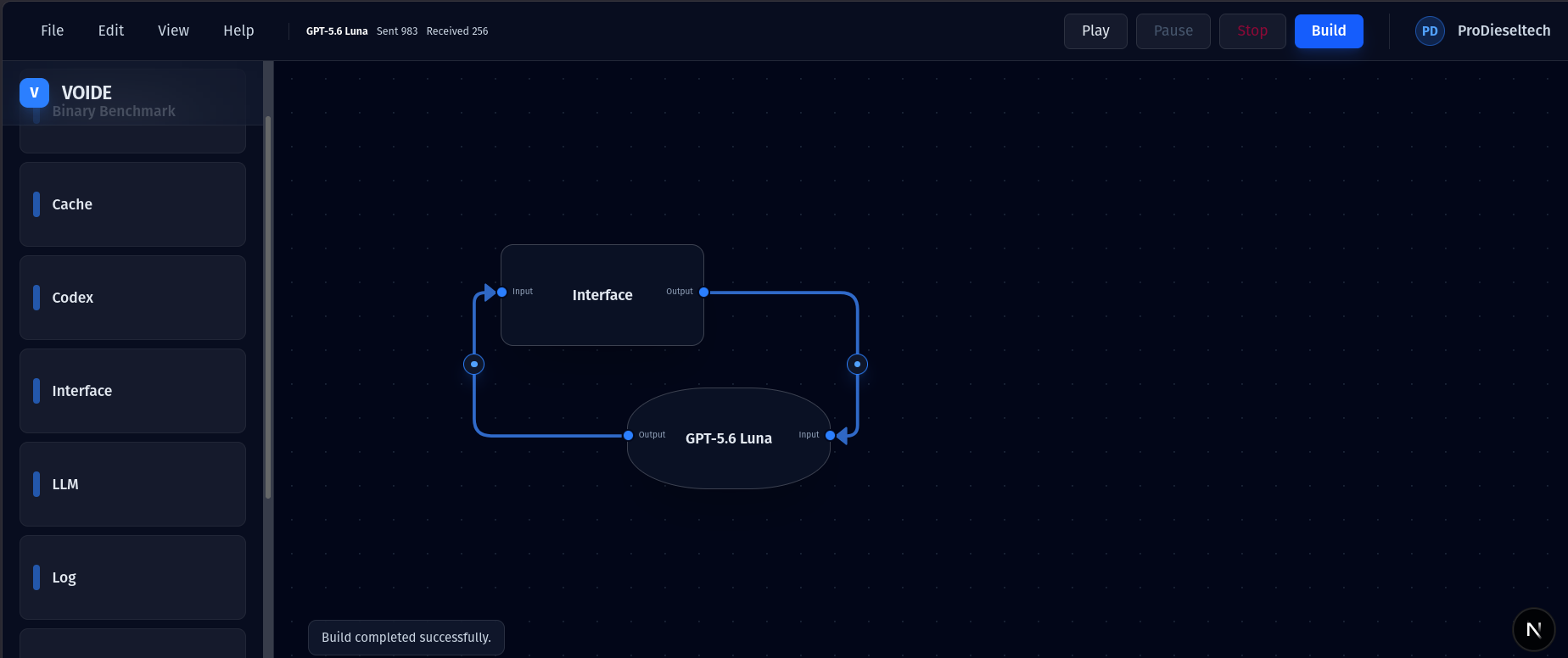
Start with an Interface and one model. Connect them, Build, then Play. Add memory, prompts, cache, routing, and other modules as your workflow grows.
Why VOIDE
Most AI workflows disappear inside code. VOIDE puts the complete system on a canvas so builders can understand what runs, where information goes, and why the result changed.
Place models, memory, cache, tools, prompts, interfaces, and control modules on a visual canvas.
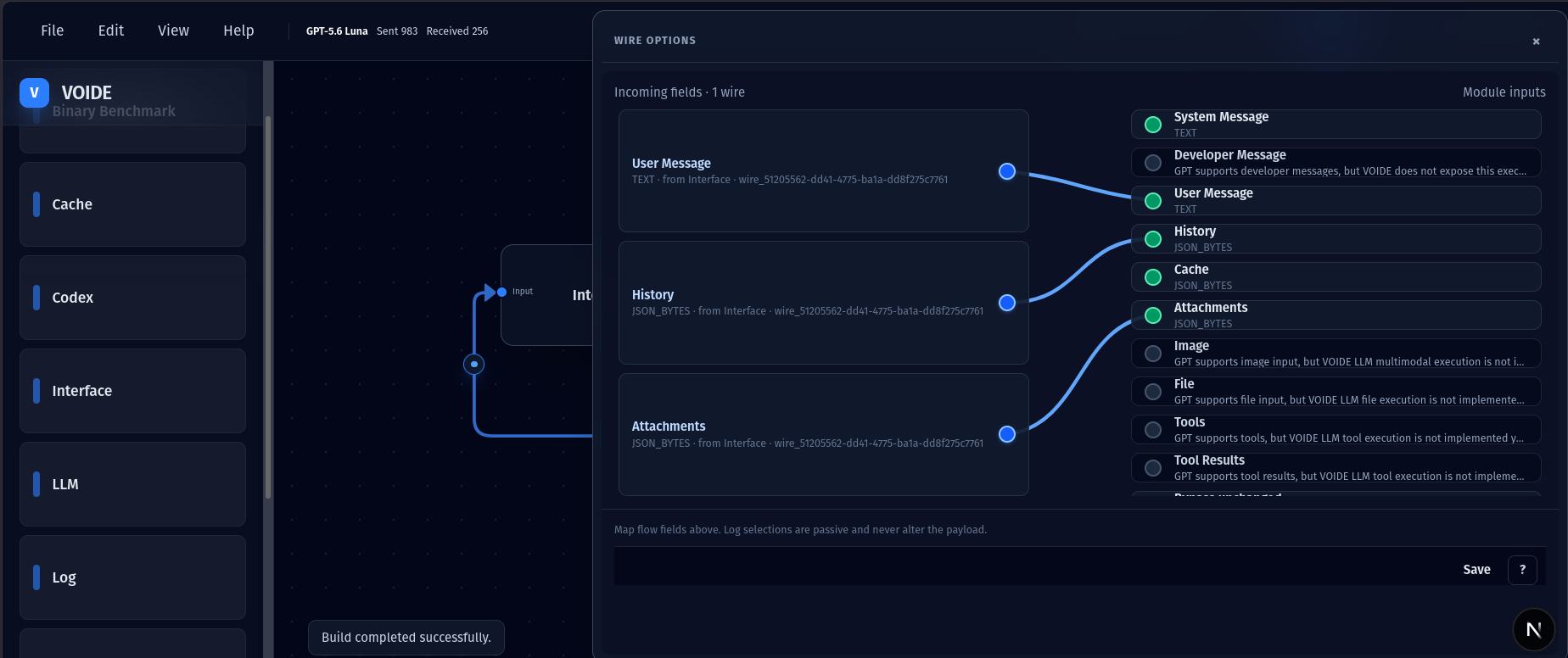
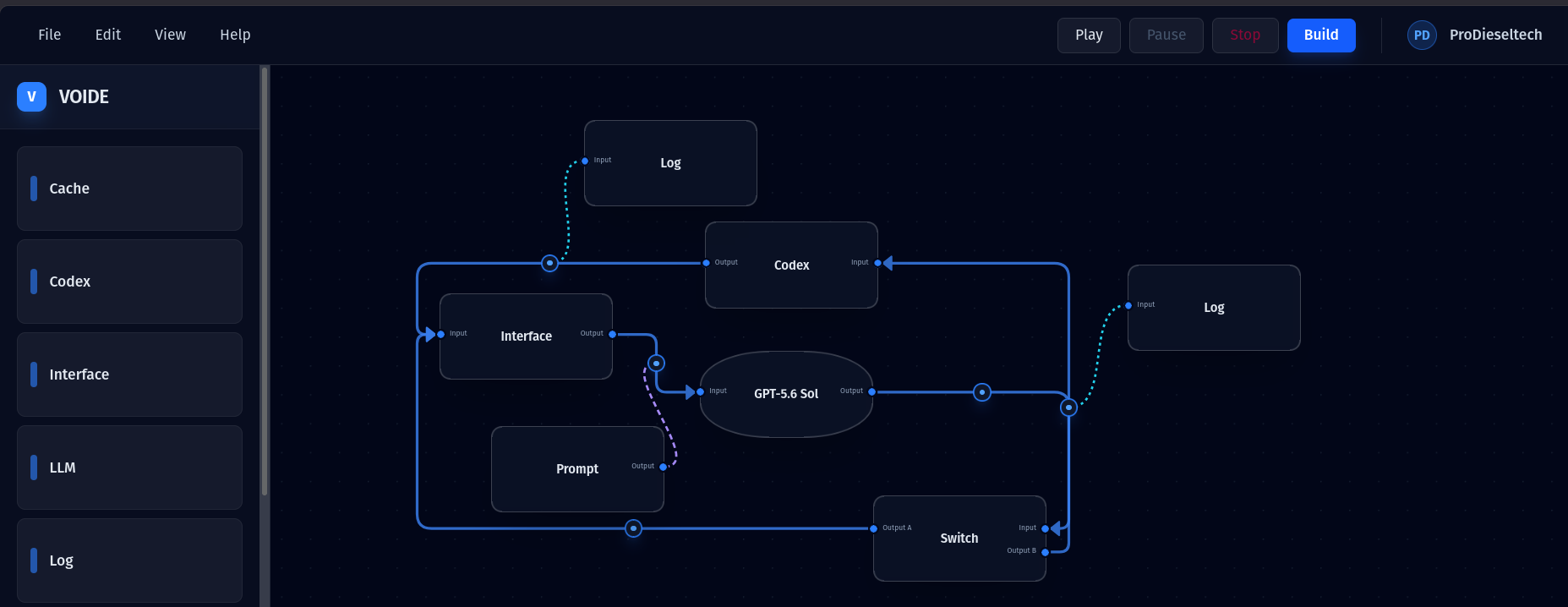
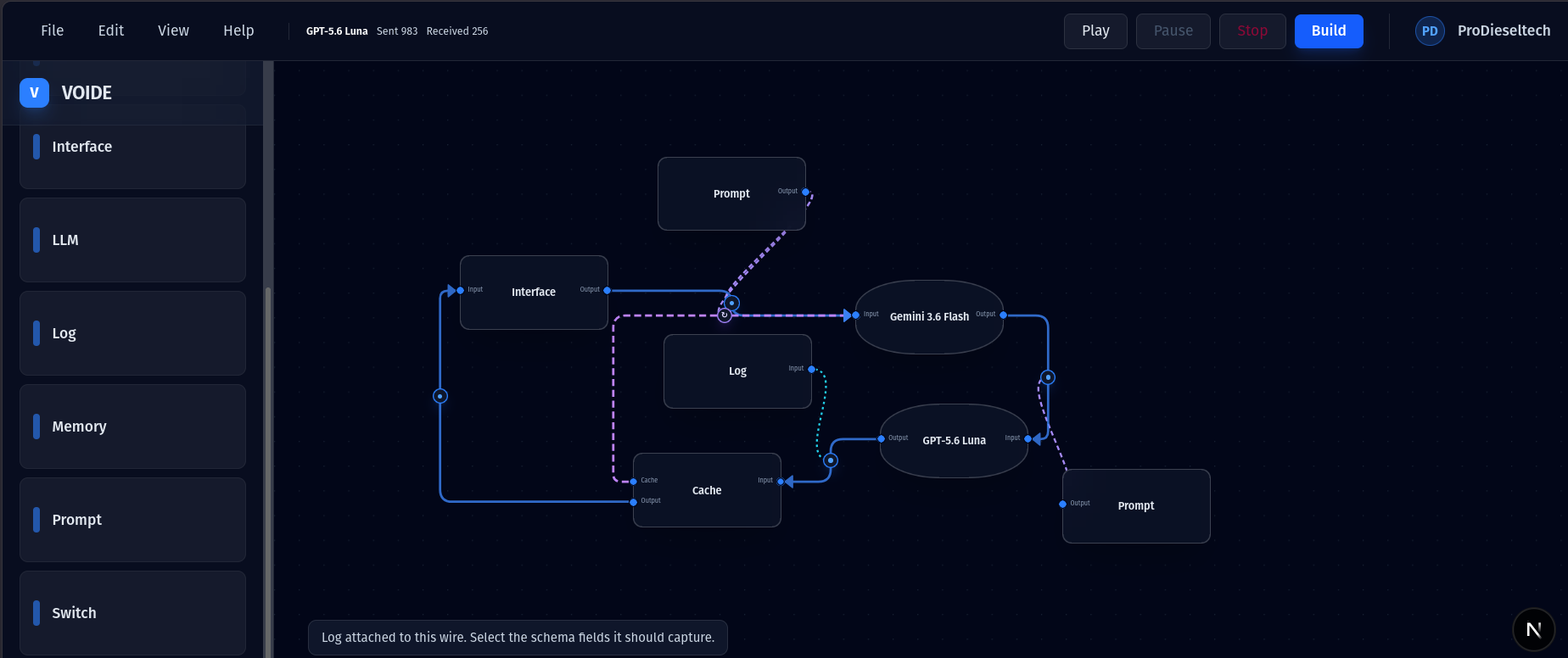
Wire fields between modules. Connections define both data flow and execution order.
Build the graph you designed, then watch every module wait, process, complete, bypass, or fail.
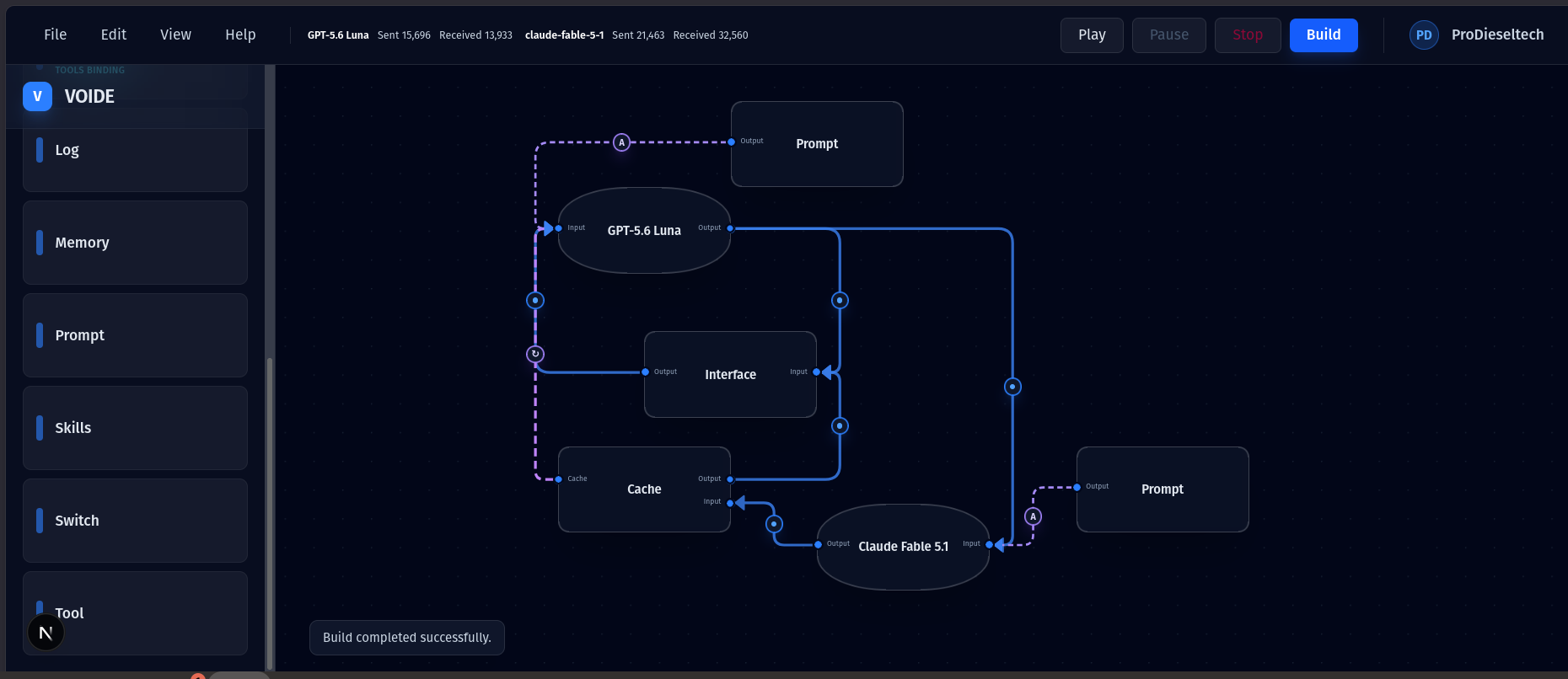
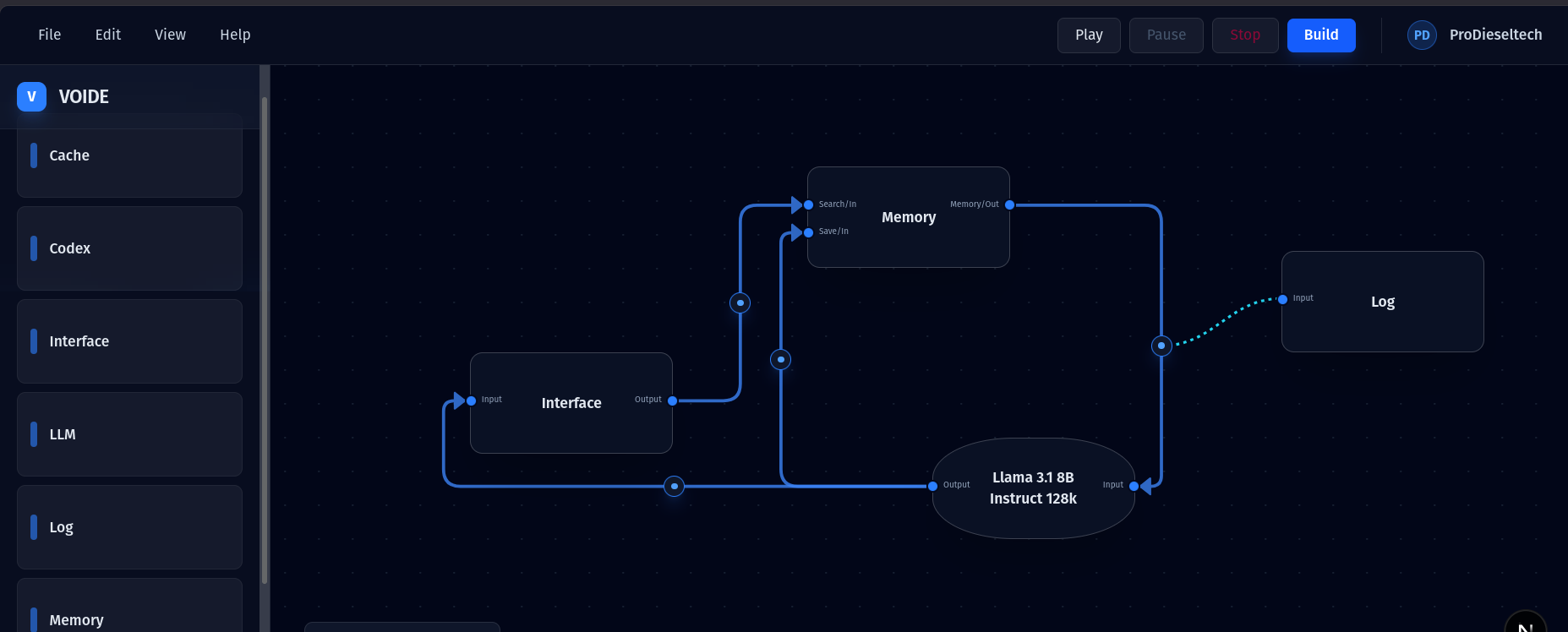
Change one part at a time and test whether memory, routing, verification, or another model improves the result.
How it works
Start with an empty canvas. Add the modules you need, connect their ports, then build and play. The same canvas can stay simple or grow into a multi-model workflow.
Drag an Interface and an LLM onto the canvas.
Draw a wire and choose which fields to pass along.
Compile the graph, run it, and follow activity on the canvas.
The canvas is the specification
Wires define data flow and execution order. Map the fields you need, then inspect the pipeline as it runs.
One canvas, different workflows
Early access
VOIDE is under active development. I’m looking for AI builders, developers, researchers, and curious early users willing to try it and give direct feedback about what is useful, confusing, or missing.
prodieseltech@gmail.com